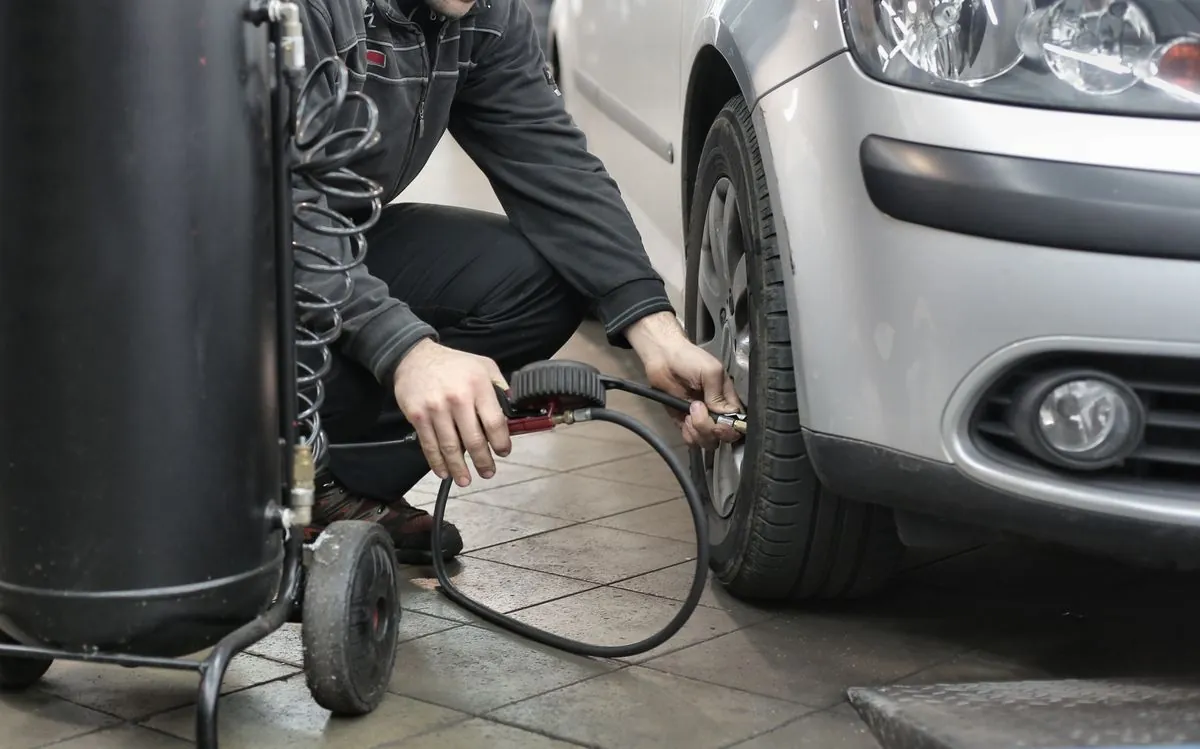
To reset the tyre pressure warning on a Renault Clio, set all four tyres to the pressures on the label on the edge of the driver's door while they are cold, then run the reset from the instrument panel or multimedia screen with the car stopped and the ignition on. The exact button presses depend on which Clio you have, and Renault publishes each version's manual online, so the steps below are taken straight from those pages with a link to each one.
The Clio's system does not read the air pressure directly. Renault's manuals say it "detects a loss of pressure in one of the tyres by measuring the wheel speed while driving", which is why a reset after every pressure change matters so much. If you reset with a tyre still low, the car learns the wrong baseline and may not warn you properly. For the basics of what the amber horseshoe symbol means on any car, see our guide to the TPMS warning light.
Which tyre pressure system does a Renault Clio have?
Every Renault Clio manual we checked describes the same kind of system: a tyre pressure loss warning that compares wheel speeds rather than using a sensor inside each tyre. That covers the Clio 4 phase 2, the Clio 5 and the new Clio released in 2026. Each manual also says "when fitted" or "if fitted", so not every car has it. Renault's own check is simple: the Clio 4 manual says the system is fitted if there is a label in the vehicle, visible when you open the driver's door.
| Clio version (as named in Renault's manual) | System described | Where the reset is done | Source |
|---|---|---|---|
| Clio 4 phase 2 | Tyre pressure loss warning, wheel speed based | Instrument panel display buttons | Renault user manual, Clio 4 phase 2 |
| Clio 5 phase 1 | Tyre pressure loss warning, wheel speed based | Instrument panel switches, or multimedia screen if fitted with navigation | Renault user manual, Clio 5 phase 1 |
| Clio 5, manual version dated 15/09/2025 to 16/03/2026 | Tyre pressure loss warning, wheel speed based | Instrument panel switches, or multimedia screen | Renault user manual, Clio 5 |
| New Clio, manual version dated 12/01/2026 to 14/07/2026 | Tyre pressure loss warning, wheel speed based | Multimedia screen | Renault user manual, new Clio |
We could not find an English Renault manual page for the Clio 4 phase 1 or earlier Clios, so if you drive one of those, follow the steps in your owner's manual. The same applies if your car's menus do not match the ones below, because Renault updates its manuals as the car changes.
What does the Clio's tyre pressure light mean when it is steady or flashing?
A steady light means Renault's system thinks a tyre has lost pressure. A light that flashes first and then stays on points to something else, usually a reset that did not work, a smaller emergency spare, or a fault in the system. Renault pairs each state with a message on the instrument panel, and the wording changed between models.
Clio 4 phase 2 messages
- "INFLATE TIRES AND SET TPW" with the warning light on: at least one tyre is flat or punctured.
- "RECALIBRATE SET TPW", light flashes for several seconds then stays on: the reset request needs to be started again.
- "TPW NOT AVAILABLE", light flashes then stays on: an emergency spare wheel smaller than the other four is fitted.
- "CHECK TPW", light flashes then stays on, together with the service warning light: a system fault, and Renault says to consult an authorised dealer.
Clio 5 and new Clio messages
- "Inflate tyres and init." with a steady light: under-inflation or a puncture has been detected.
- "Check tyre press and init.": the reset was unsuccessful. The Clio 5 phase 1 manual adds that the same message appears when the last reset was more than 6 months or about 6,214 miles (10,000 km) ago.
- "Check TPW" with the service warning light: a fault in the system, so consult an approved dealer.
- "TPW not available": an emergency spare of a different size is fitted. The system stays unavailable until a matching wheel is back on and the reset has been done.
Renault also warns that a sudden loss of pressure, such as a burst tyre, may not be detected straight away, and that the system can react late in some situations: sporty driving, snowy or slippery roads, snow chains, a single new tyre, or a heavy load on one side of the car.
What should you do before resetting the warning?
Check and correct all four tyres first. Every Clio manual says the reset should always be carried out after checking the pressure of all four tyres when cold, and that the pressures must suit how the car is being used, whether empty, loaded or on a long motorway run.
- Find the right figures. Renault puts them on a label on the edge of the driver's door. The Clio 5 tyre pressure page explains that the label shows the tyre size, front and rear pressures, and the pressure for the emergency spare where one is supplied. Figures vary with tyre size and load, so read your own car's label rather than a figure from the internet.
- Check them cold. Renault says that if you cannot check the tyres cold, you should add 0.2 to 0.3 bar (3 PSI) to the recommended values, and never let air out of a hot tyre.
- Look at each tyre. If one keeps losing air, a reset will not fix it. A nail in the tread, a leaking valve or a damaged rim edge can all cause a slow puncture.
Our correct tyre pressure guide covers how to use a gauge accurately and why a monthly check still matters on a car with a warning system. TyreSafe makes the same point: the handbook and the label hold the correct pressures, and under-inflated tyres wear faster and handle worse (TyreSafe).
How do you reset the tyre pressure warning on a Clio 5?
On a Clio 5 without a multimedia reset, you use the switches on the steering wheel and instrument panel. This is the procedure from Renault's Clio 5 phase 1 manual, with the ignition on and the car stopped:
- On a car with a type A or C instrument panel, tap switch 6 as many times as needed to reach the "Vehicle" tab. On a type B instrument panel, tap switch 6 to reach the area of the display marked 7 in the manual.
- Briefly press switch 3 or 4 to reach the "Tyre pressure init. long press" page.
- Press and hold switch 5 (OK). The message "If pressure OK [hold on]" flashes to show the system has registered the request.
- Keep holding until "Operation completed" appears. You can then drive.
If you see "Tyre pressure init. at stop", you tried while moving. Stop the car and start again. The switch numbers refer to the illustrations in the manual, so it is worth opening the page on your phone while you sit in the car.
Renault says the reset should be done after every re-inflation or pressure adjustment, after changing a wheel, after swapping wheels around, and after using the tyre inflation kit. If your Clio 5 has a navigation system, the manual says the same reset can also be done from the multimedia screen, following that system's instructions.
The later Clio 5 manual dated 15/09/2025 to 16/03/2026 describes the same idea with different switch numbers: with a type A or B instrument panel, press switch 3 until you reach the "Vehicle" world, press switch 4 or 5 to reach "Tyre pressure init. long press", then press and hold switch 6 "OK". Cars with a multimedia screen can use that instead, stationary and with the ignition on.
How do you reset it on a Clio 4 or the new Clio?
The Clio 4 phase 2 uses the trip computer display buttons, and the reset finishes itself after a short drive. From Renault's Clio 4 phase 2 manual, with the ignition on:
- Press button 3 or 4 repeatedly until "TIRES SET TPW" shows on the display.
- Press and hold button 3 or 4 for around 3 seconds to start the initialisation.
- "SET TPW LAUNCHED" appears for around five seconds to confirm the request has been taken.
- Drive normally. Renault says the reinitialisation is carried out after a few minutes of driving.
The Clio 4 manual lists a few more times to reset than the later cars: after each re-inflation, when you change the standard pressure to suit a load or motorway driving, after changing a wheel, after using the tyre inflation kit, and after swapping a wheel, although Renault says swapping wheels is not recommended.
On the new Clio, Renault's manual dated 12/01/2026 to 14/07/2026 says the reset is done on the multimedia screen while the car is stationary with the ignition on, after checking all four tyres cold. If the pressures could only be checked warm, it gives the same 0.2 to 0.3 bar allowance. Follow the on-screen steps in your car, as multimedia menus can change with software updates.
Why does the light come back after a reset?
If the warning returns within days, assume a tyre is losing air until a check shows otherwise. The reset only tells the car that the current pressures are normal. It does not seal anything. The possible reasons are:
- A slow puncture or valve leak. One tyre keeps dropping, so the wheel speeds drift apart again.
- Reset with the wrong pressures. Renault says the system may not work properly if it was reset with pressures different from the recommended ones.
- Mismatched tyres. Fitting a single new tyre is on Renault's list of things that can make the system act late or incorrectly, because a new tyre has a slightly larger rolling circumference than worn ones.
- Cold weather. Pressure falls as the temperature drops, which we cover in tyre pressure in cold weather.
- A system fault. "Check TPW" with the service light needs a Renault dealer or a workshop with the right diagnostic equipment.
Is it safe to drive with the Clio tyre pressure light on?
Treat a steady light as a reason to slow down and check the tyres at the next safe place. Driving on a soft tyre makes it flex and heat up, and handling and braking suffer. The Highway Code says tyres must be correctly inflated to the vehicle manufacturer's specification for the load being carried (Highway Code, Annex 6).
- Avoid harsh braking and sharp steering, and pull in somewhere safe such as a car park or a quiet side road.
- On a motorway, do not stop on the hard shoulder to look at a tyre. If the car is handling normally, leave at the next exit or services; if not, use the hard shoulder or an emergency area and get behind the barrier. The Highway Code says the safest place to stop on a motorway is a service area (Rules 274 to 287).
- If the tyre is flat, damaged or bulging, do not drive on it. If you are in danger, call 999. On motorways and major A roads in England, National Highways can be reached on 0300 123 5000.
Will the tyre pressure warning fail a Clio's MOT?
It can. The MOT inspection manual says the tyre pressure monitoring system is checked on passenger cars first used on or after 1 January 2012. The lamp should light and go out when the ignition is switched on. A lamp that stays on because of a previous pressure loss does not automatically mean a malfunction, but a lamp that flashes a number of times and then stays on indicates a system malfunction (GOV.UK MOT inspection manual, section 5). Correcting the pressures and doing the reset before the test avoids a warning that is simply out of date. More on what testers look at is in our guide to MOT tyre checks.
When should you get a mobile fitter to check your Clio's tyres?
Call a fitter when the light returns after a correct reset, when one tyre keeps losing air, or when you can see damage. Those point to a tyre, valve or wheel problem that no menu can fix.
Rescue Tyres is fully mobile, so we come to your home, workplace or a safe roadside spot in London and the Home Counties from one base at Brent Cross, NW2. If you are further out, call and we will tell you whether we can take the job. The price does not change in the evening or at the weekend. We check all four pressures, look for the cause of the leak, carry out puncture repairs to BS AU 159 where the damage is in the repairable area, and fit new tyres sourced to your Clio's size when a repair is not safe. The price is confirmed on the call before any work, and a realistic arrival time is agreed on the call. Call or WhatsApp 07473 720871 or book online. If the light turns out to be a system fault ("Check TPW"), we will tell you that plainly so you can take it to a Renault dealer.
